
Seedance 2.0 Reference to Video AI Generator | HappyHorse
reference to video
Gallery
Explore HappyHorse.AI Magic
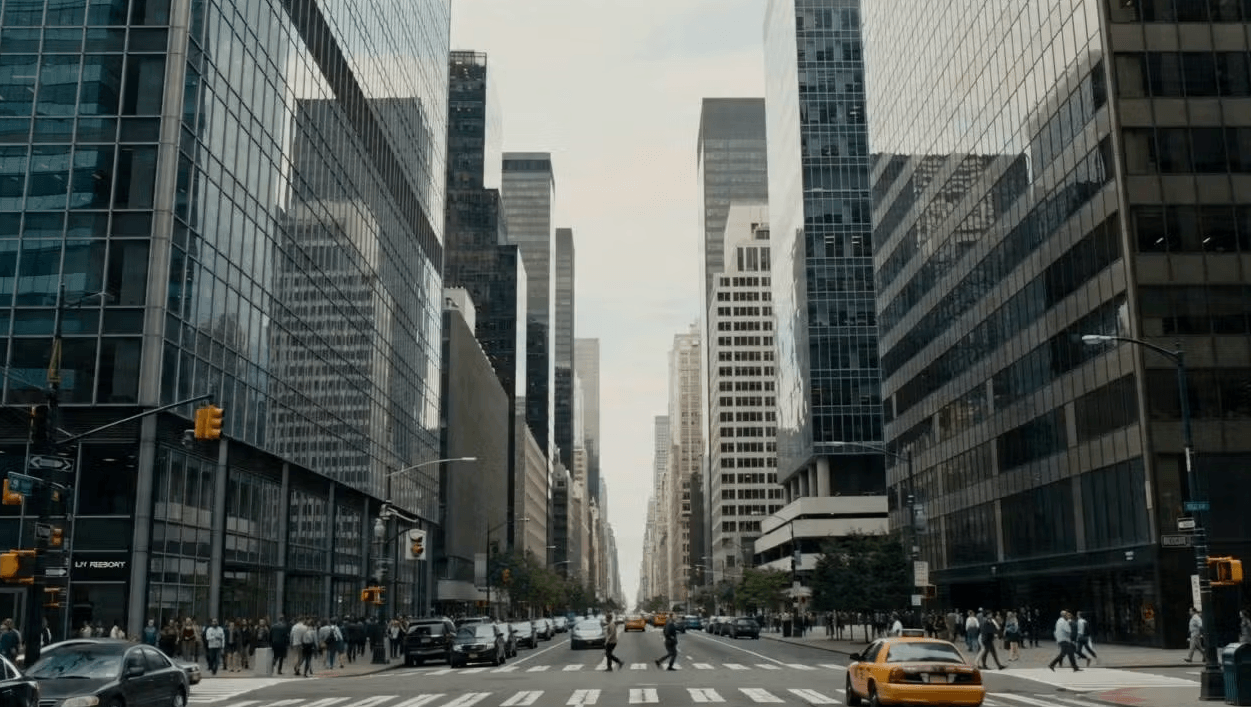
City Disaster Sequence
PROMPT // Ultra cinematic disaster sequence in a modern city, grounded realism, IMAX scale. Calm city street trembles, cracks form in asphalt, buildings shift, debris falls, a bus tilts as the road splits open, entire block collapses into the ground, massive sinkhole swallows the city.
Seedance 2.0 Reference to Video Showcase
See how Seedance 2.0 combines multiple reference inputs — images, clips, and audio — to produce cinematic output.
Motion & Style Extraction
Feed Seedance 2.0 a reference video and a style image — it deconstructs the camera movement, pacing, and visual rhythm from the clip, then re-renders the entire sequence in your chosen artistic style. No VFX expertise required.
Multi-Image Scene Composition
Seedance 2.0 lets you assign each reference image to a specific role — first frame, top, left, right — while borrowing camera movement from a reference video. Compose complex scenes from multiple visual inputs in a single generation.
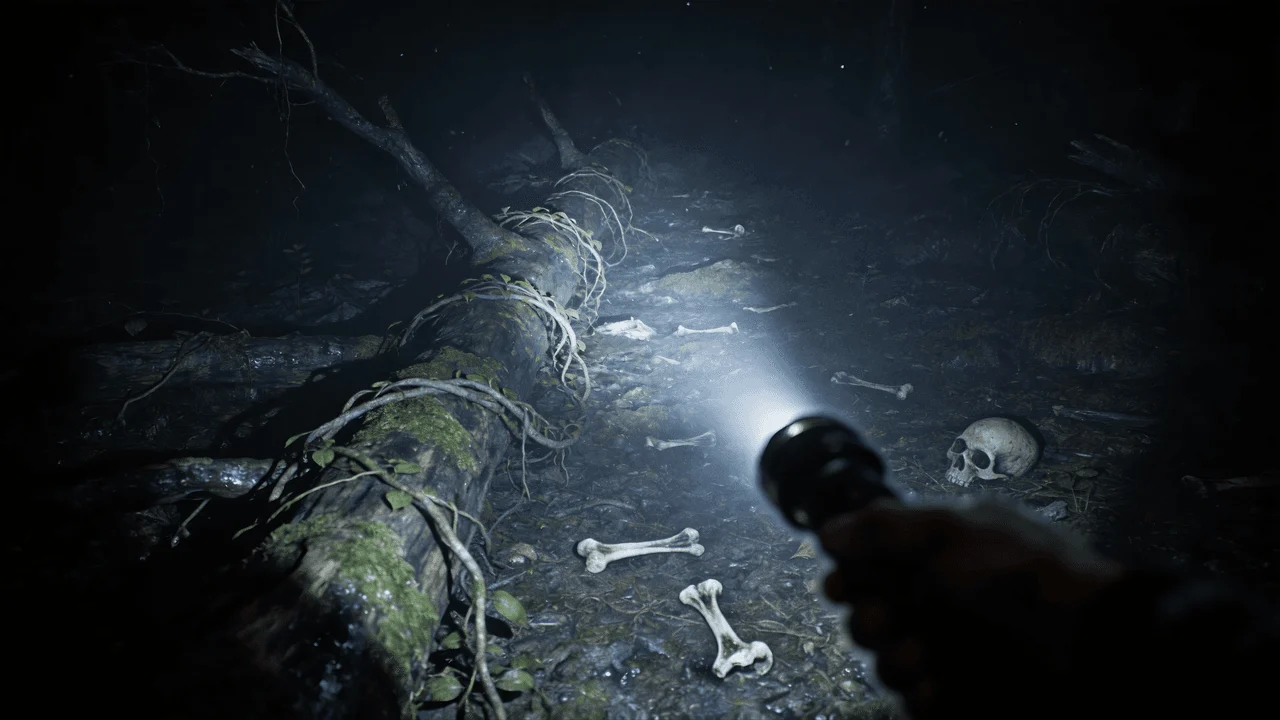
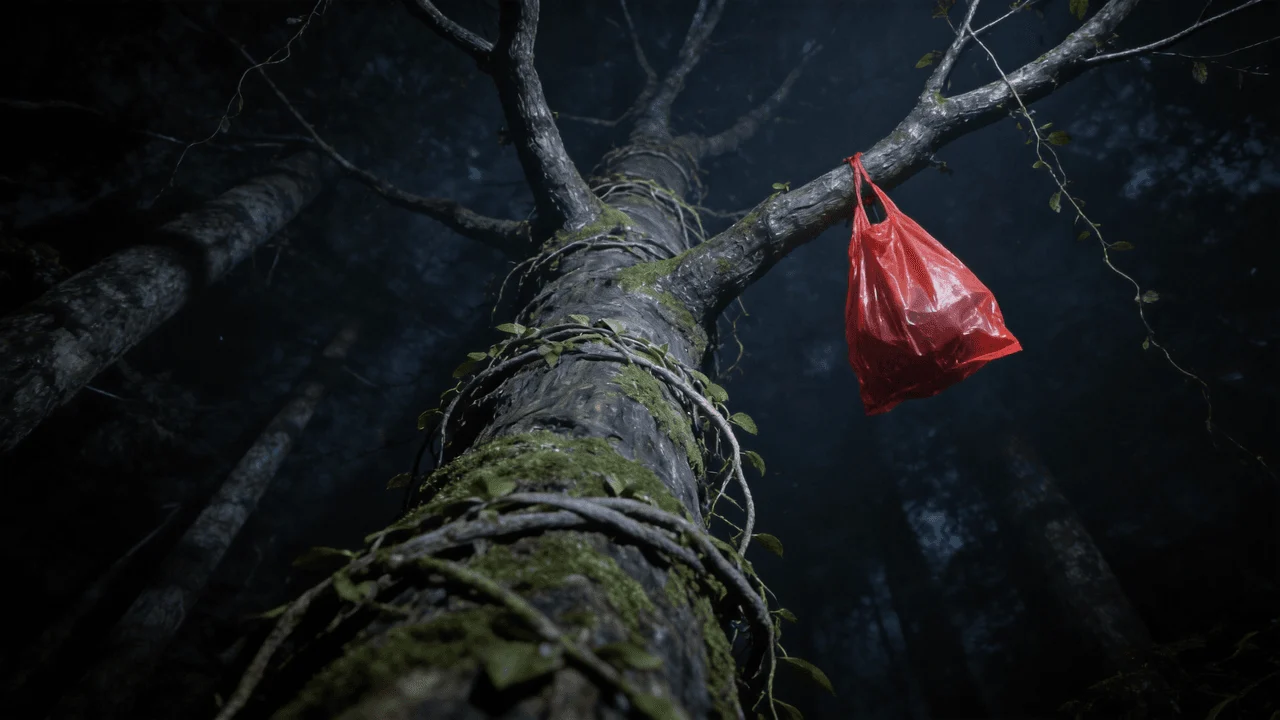
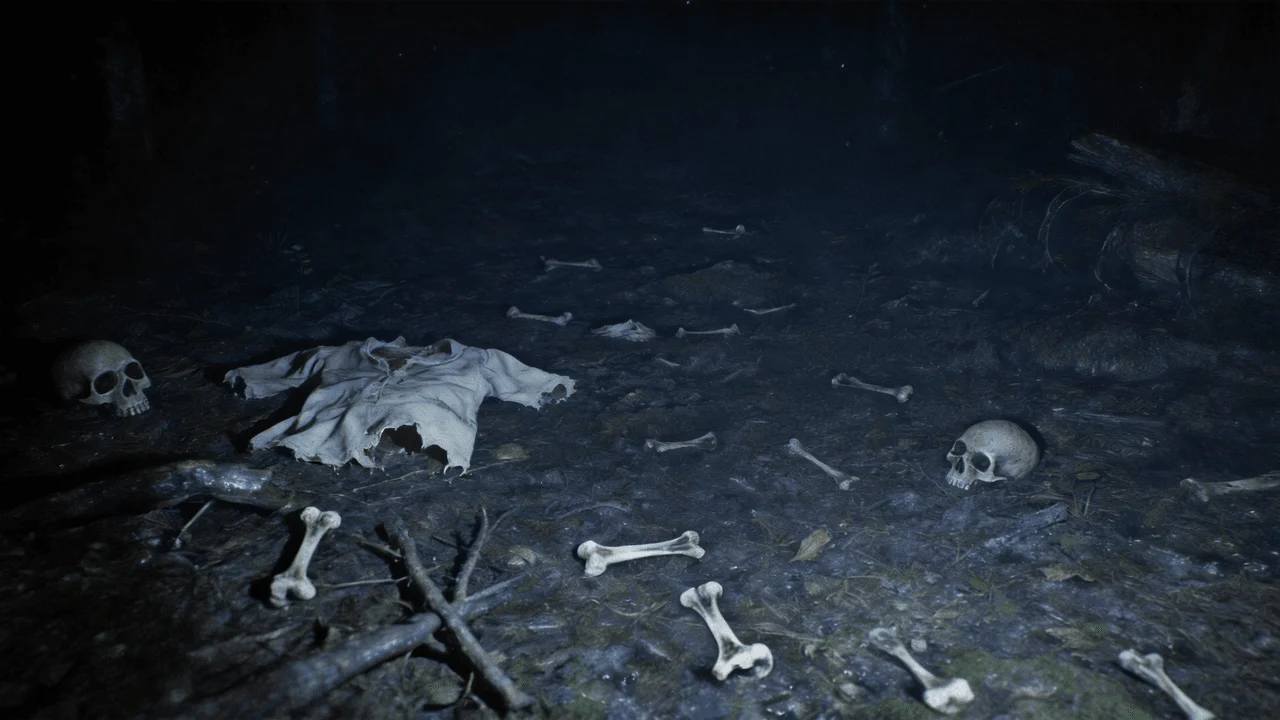
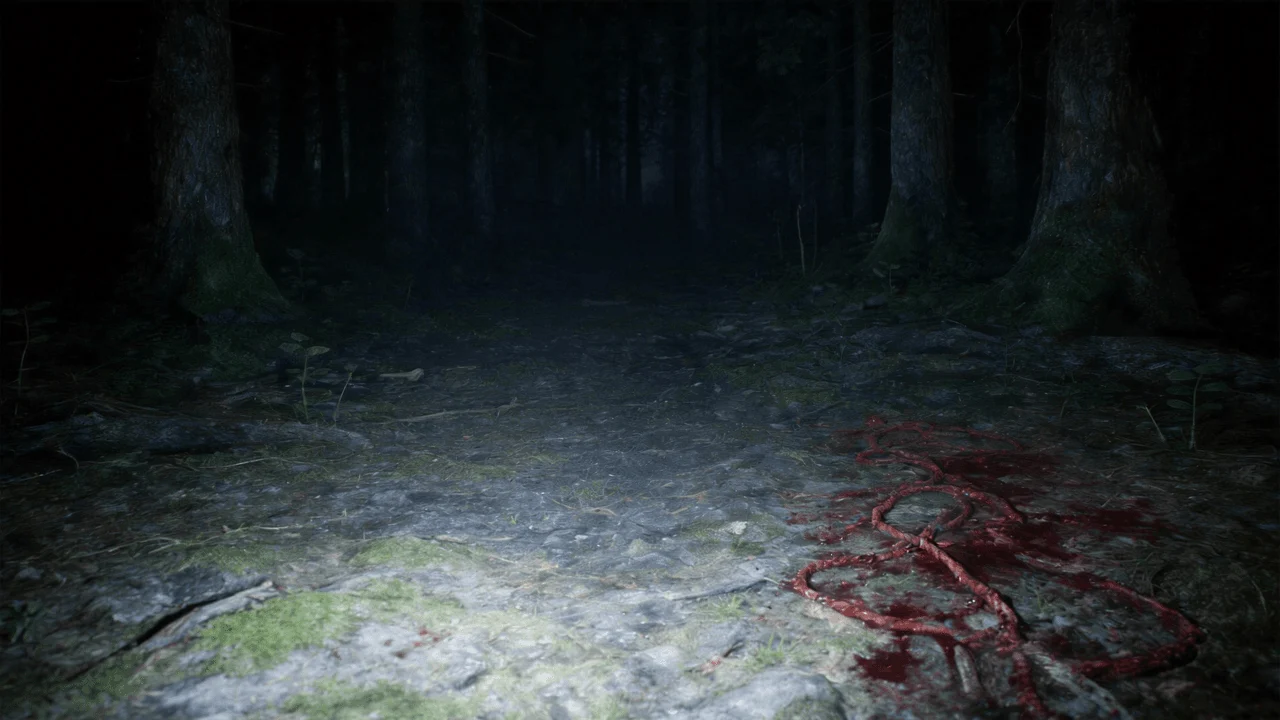
Use @Image 1 as the first frame of the scene. Adopt a first-person perspective and refer to the camera movement effect in @Video 1. The upper scene should be based on @Image 2, the left scene on @Image 3, and the right scene on @Image 4.
Character + Scene Separation Control
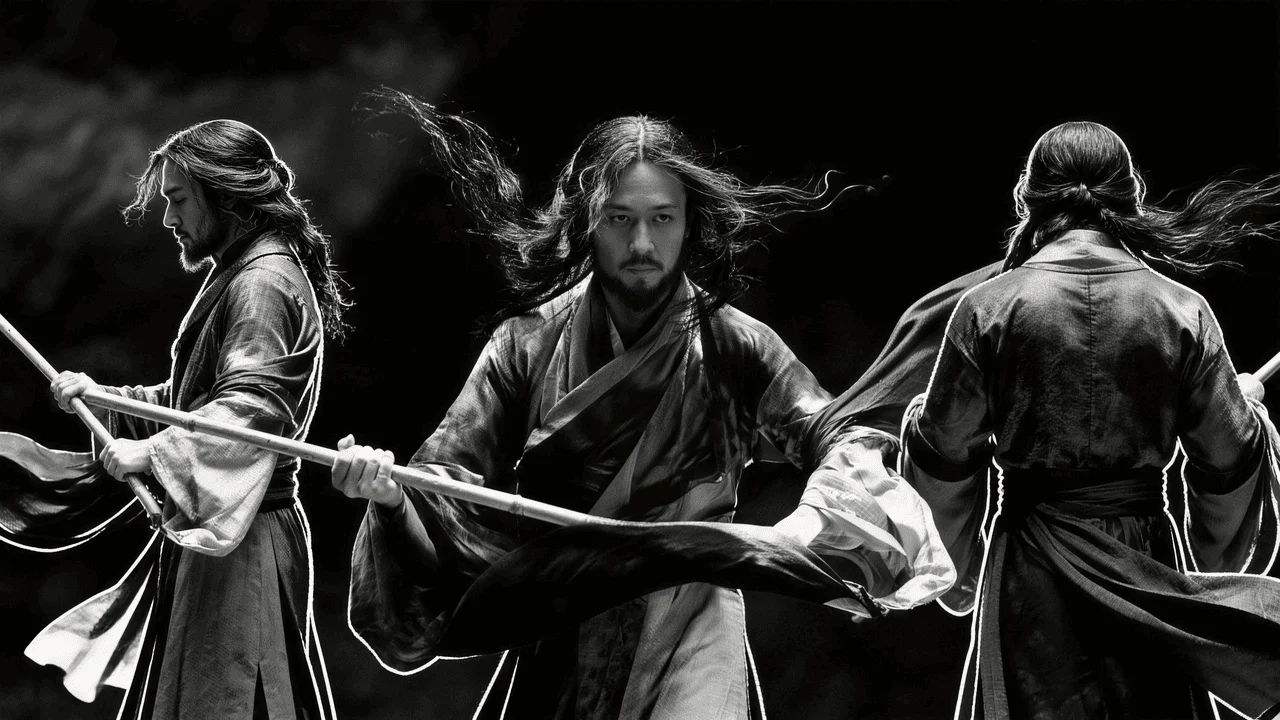
Define characters and backgrounds independently — assign reference images to specific roles like 'character' or 'scene', then let Seedance 2.0 merge them with cinematic camera work from a reference video.
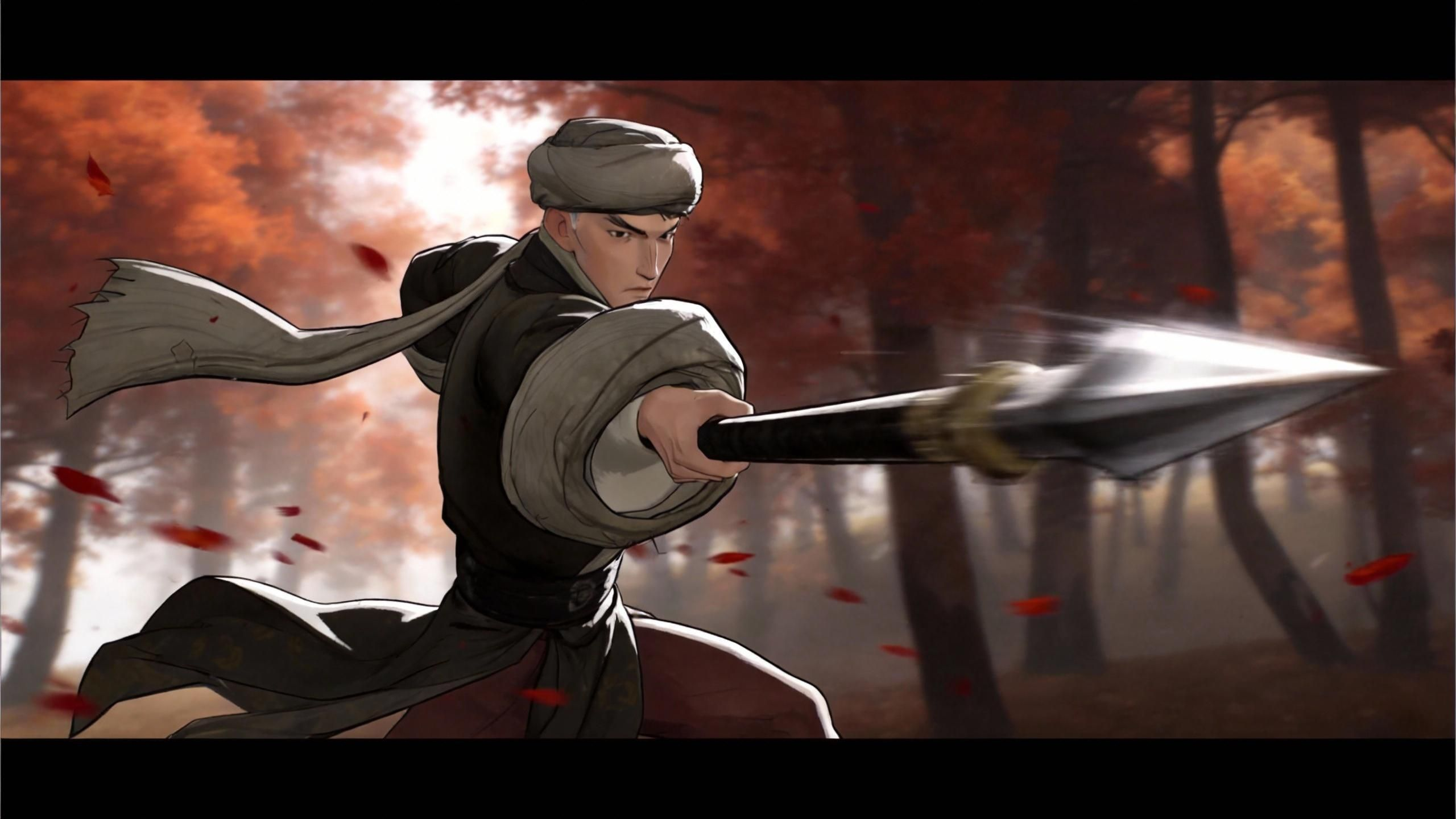
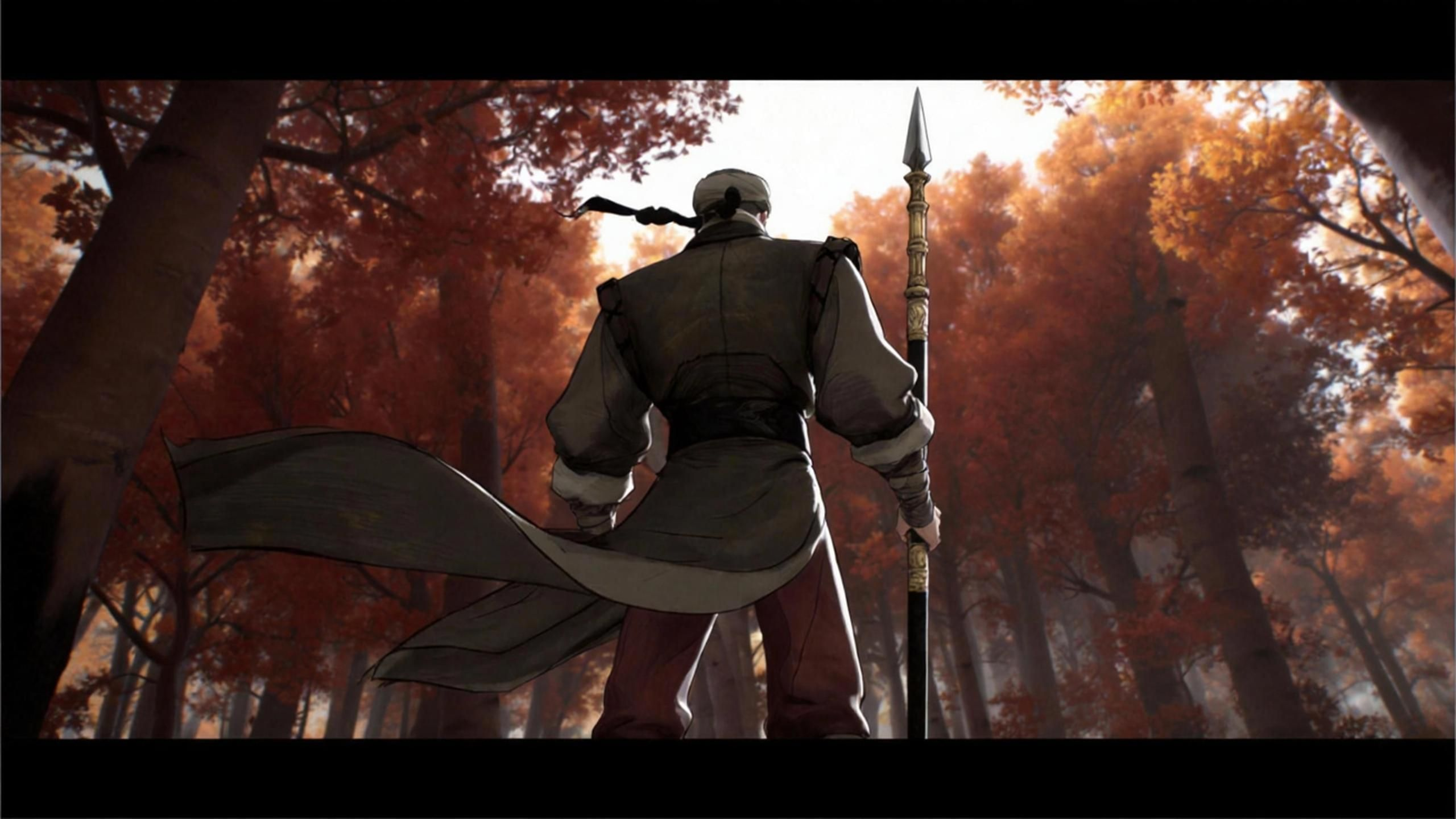
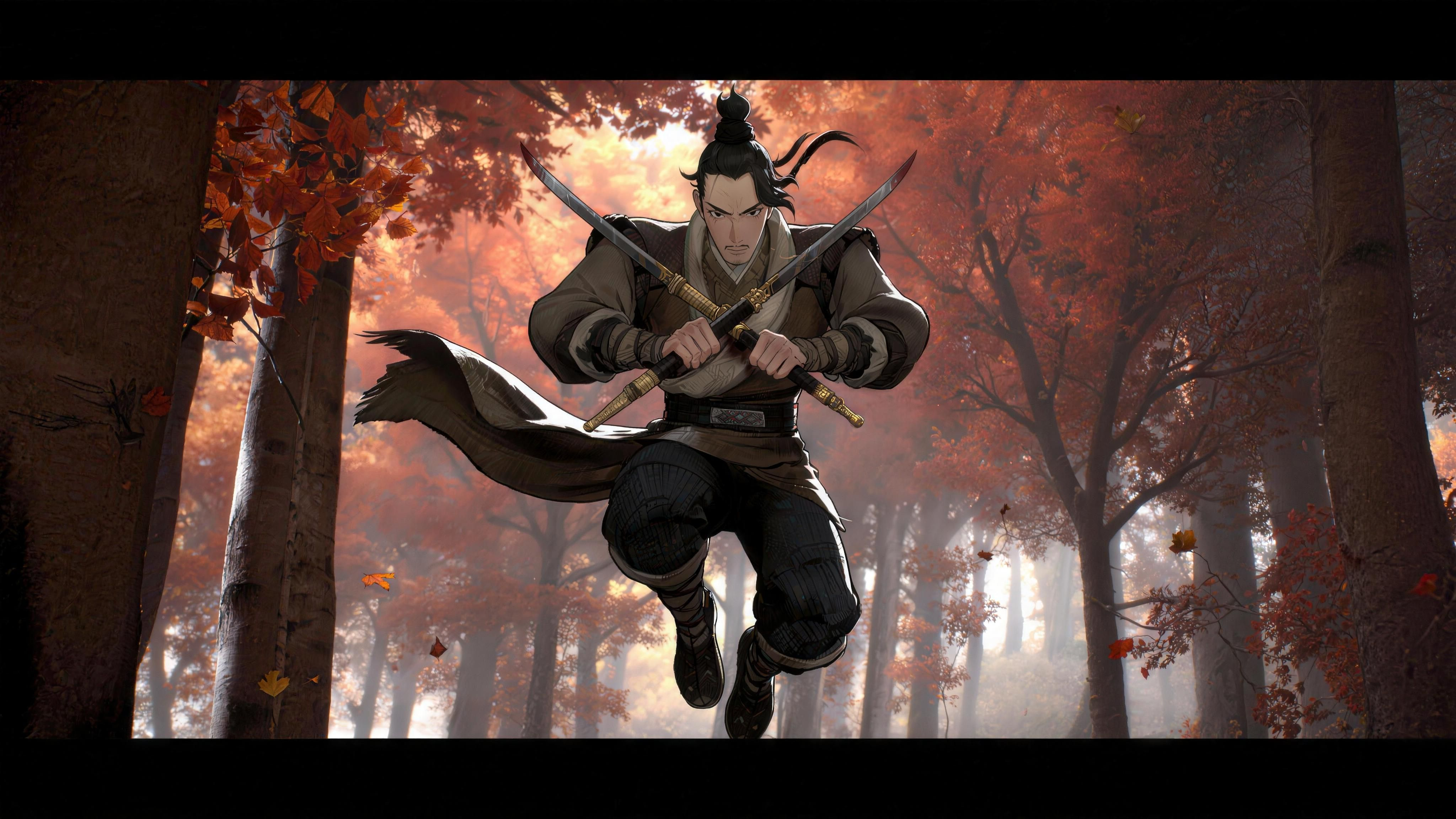
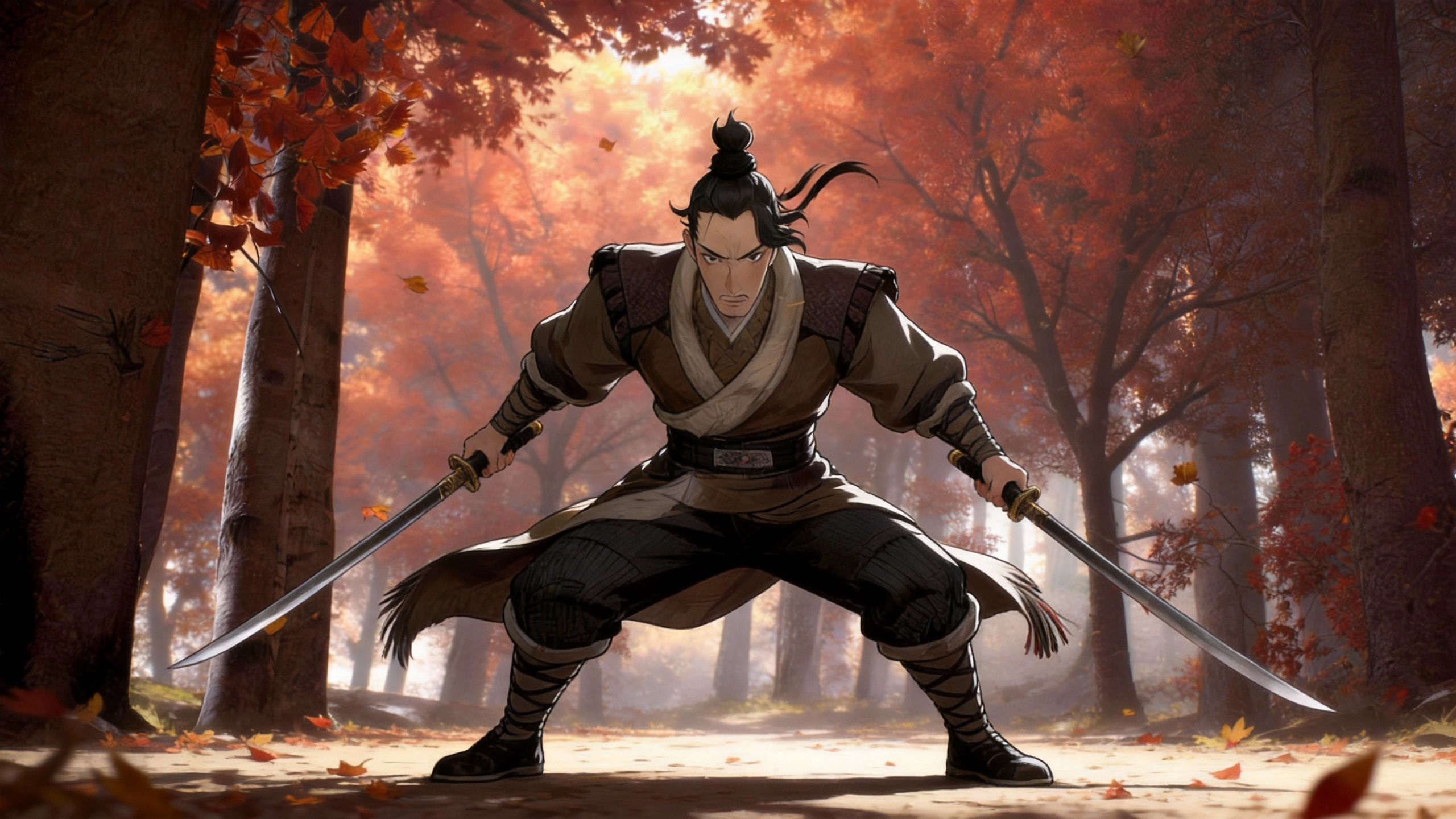
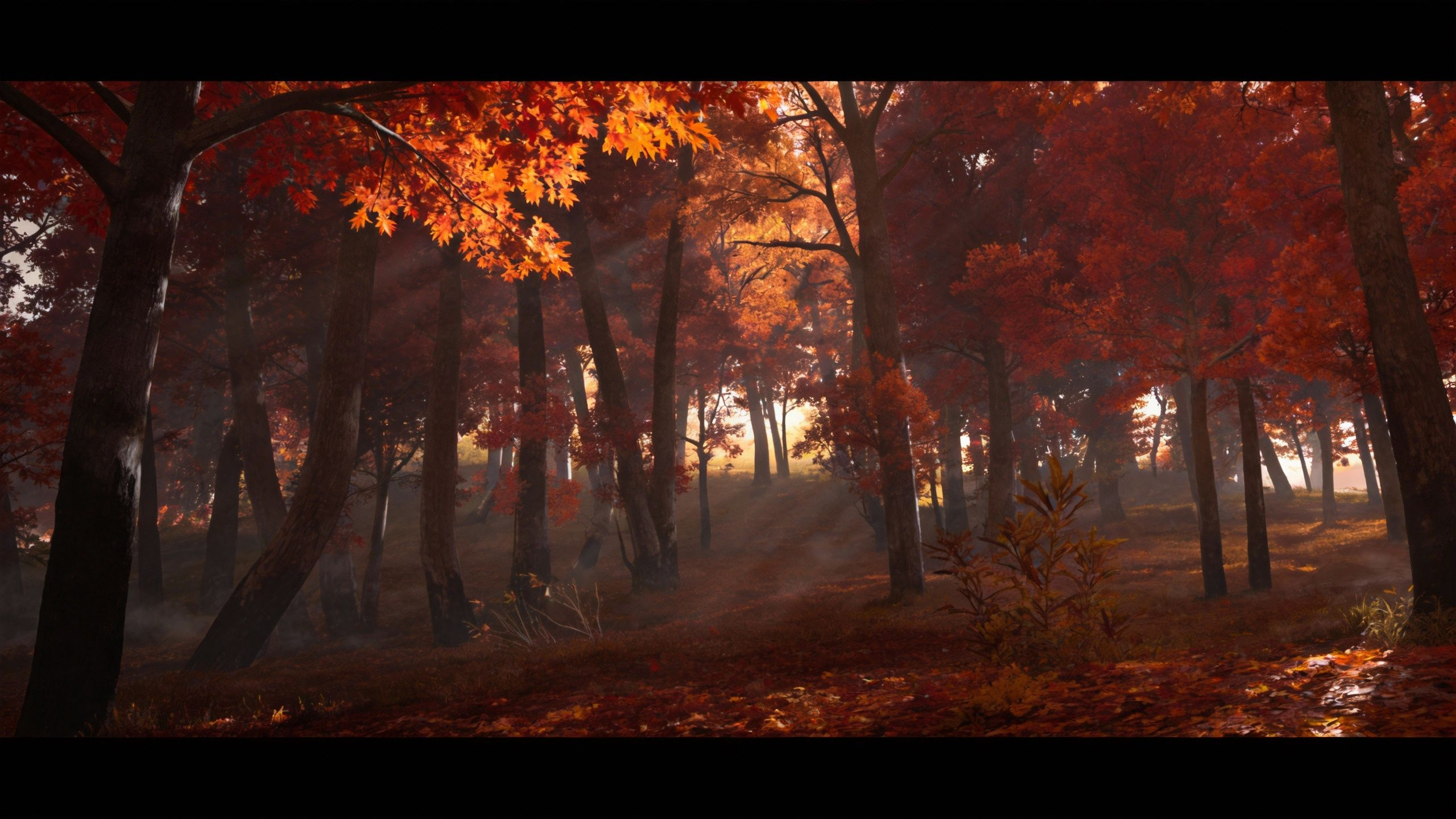
Reference @Image1 @Image2 for the spear-wielding character, @Image3 @Image4 for the scene. Generate a martial arts action sequence where the character performs fluid spear techniques. Use multi-angle tracking shots to capture the power and beauty of martial arts.
Seedance 2.0 Reference to Video Capabilities
Seedance 2.0 supports up to 15 reference files across three modalities — the most versatile creative control in the industry.
Multimodal Reference Input
Combine up to 9 images, 3 video clips, and 3 audio files as input references. Mix style images with motion clips and soundtracks for complete creative control.
Pixel-Level Creative Replication
Seedance 2.0 analyzes your reference materials and reproduces visual styles, character appearances, scene compositions, and lighting conditions with pixel-level accuracy.
Style Transfer & Fusion
Transfer artistic styles, color palettes, and visual aesthetics from reference images to newly generated video. Blend multiple style references for unique hybrid looks.
Audio-Driven Generation
Upload audio references and Seedance 2.0 generates video synchronized with the audio's rhythm, mood, and timing — or use native audio co-generation for auto-matched sound.
Motion Reference Transfer
Upload video clips as motion references. Seedance 2.0 extracts the movement patterns and applies them to your new content while maintaining your visual style references.
Brand Consistency Engine
Upload brand assets — logos, color schemes, product images — as references. Generate on-brand video content that maintains visual identity across every frame.
How Multimodal References Work in Seedance 2.0
Unlike single-image-to-video models, Seedance 2.0's Reference to Video mode accepts a rich combination of visual, motion, and audio inputs. The Dual-Branch Diffusion Transformer cross-references all inputs simultaneously, extracting style from images, dynamics from videos, and rhythm from audio to produce cohesive output.
Cross-Modal Understanding
Seedance 2.0 doesn't just process references in isolation — it understands the relationships between your image styles, video motions, and audio cues to produce a unified creative result.
Reference Priority Control
Control how strongly each reference influences the output. Emphasize character consistency from one image while borrowing camera motion from a video clip.
Standard & Fast Modes
Standard mode for maximum fidelity and complex reference blending. Fast mode for rapid iteration. Both support the full 15-file multimodal reference system.
Who Uses Seedance 2.0 Reference to Video
From ad agencies to indie filmmakers, Reference to Video unlocks creative possibilities that single-input models can't match.
Advertising & Brand Agencies
Upload brand guidelines, product shots, and mood boards as references to generate on-brand commercial content at scale — no shooting required.
Filmmakers & Storyboarders
Use storyboard frames as image references and sample footage as motion references to pre-visualize scenes before committing to expensive live-action shoots.
Artists & Style Explorers
Upload artwork as style references and let Seedance 2.0 animate them into motion — preserving brushstrokes, textures, and artistic identity in every frame.
Seedance 2.0 vs Sora 2 vs Veo 3 — Reference Mode
A head-to-head comparison of reference-to-video capabilities across three leading AI video models.
Up to 15 files: 9 images + 3 videos + 3 audio in a single generation.
Limited to 1-2 reference images only.
Single image or text reference only.
Full multimodal: images + video clips + audio files as combined references.
Image-only reference; no video or audio input.
Image-only reference with text enhancement.
Pixel-level style, character, and composition replication from multiple references.
Good single-image style transfer; limited composition control.
Basic style matching from single reference.
Co-generates synchronized audio or accepts audio references for rhythm-matched output.
No native audio support.
No native audio support.
Upload video clips as motion references; extracts and transfers movement patterns.
No motion reference input.
No motion reference input.
Up to 15 seconds with 5s / 10s / 15s options.
Up to 20 seconds.
Up to 10 seconds.
Max Reference Files
Up to 15 files: 9 images + 3 videos + 3 audio in a single generation.
Limited to 1-2 reference images only.
Single image or text reference only.
Multimodal Input
Full multimodal: images + video clips + audio files as combined references.
Image-only reference; no video or audio input.
Image-only reference with text enhancement.
Creative Replication
Pixel-level style, character, and composition replication from multiple references.
Good single-image style transfer; limited composition control.
Basic style matching from single reference.
Native Audio
Co-generates synchronized audio or accepts audio references for rhythm-matched output.
No native audio support.
No native audio support.
Motion Reference
Upload video clips as motion references; extracts and transfers movement patterns.
No motion reference input.
No motion reference input.
Max Video Duration
Up to 15 seconds with 5s / 10s / 15s options.
Up to 20 seconds.
Up to 10 seconds.
How to Create Videos with Multimodal References
Three steps to generate professional videos from your creative references on HappyHorse. No downloads, no API keys, no GPU required.
Upload Your References
Upload a mix of reference materials — images for style and character, video clips for motion patterns, audio files for rhythm and mood. Up to 15 files total.
Select Seedance 2.0 & Describe Your Vision
Choose Seedance 2.0 Standard or Fast mode. Write a text prompt describing what you want to create. Set duration (5s/10s/15s) and aspect ratio.
Generate & Download
Seedance 2.0 cross-references all your inputs to generate a cohesive video with optional synchronized audio. Download in minutes.
Seedance 2.0 Reference to Video FAQ
Everything you need to know about using Seedance 2.0's multimodal reference system on HappyHorse.
Start Creating with Multimodal References
Upload your images, clips, and audio references. Let Seedance 2.0 replicate your creative vision with industry-leading multi-reference understanding. Sign up and get free credits.
No credit card required · Free credits on sign-up · Cancel anytime